One Chart, One Alert
Stop flipping through charts. Let the signals come to you.
Easy Swing shows signals for your chart and four other coins at once, and a single alert covers all of them.
Step 1. Add Easy Swing
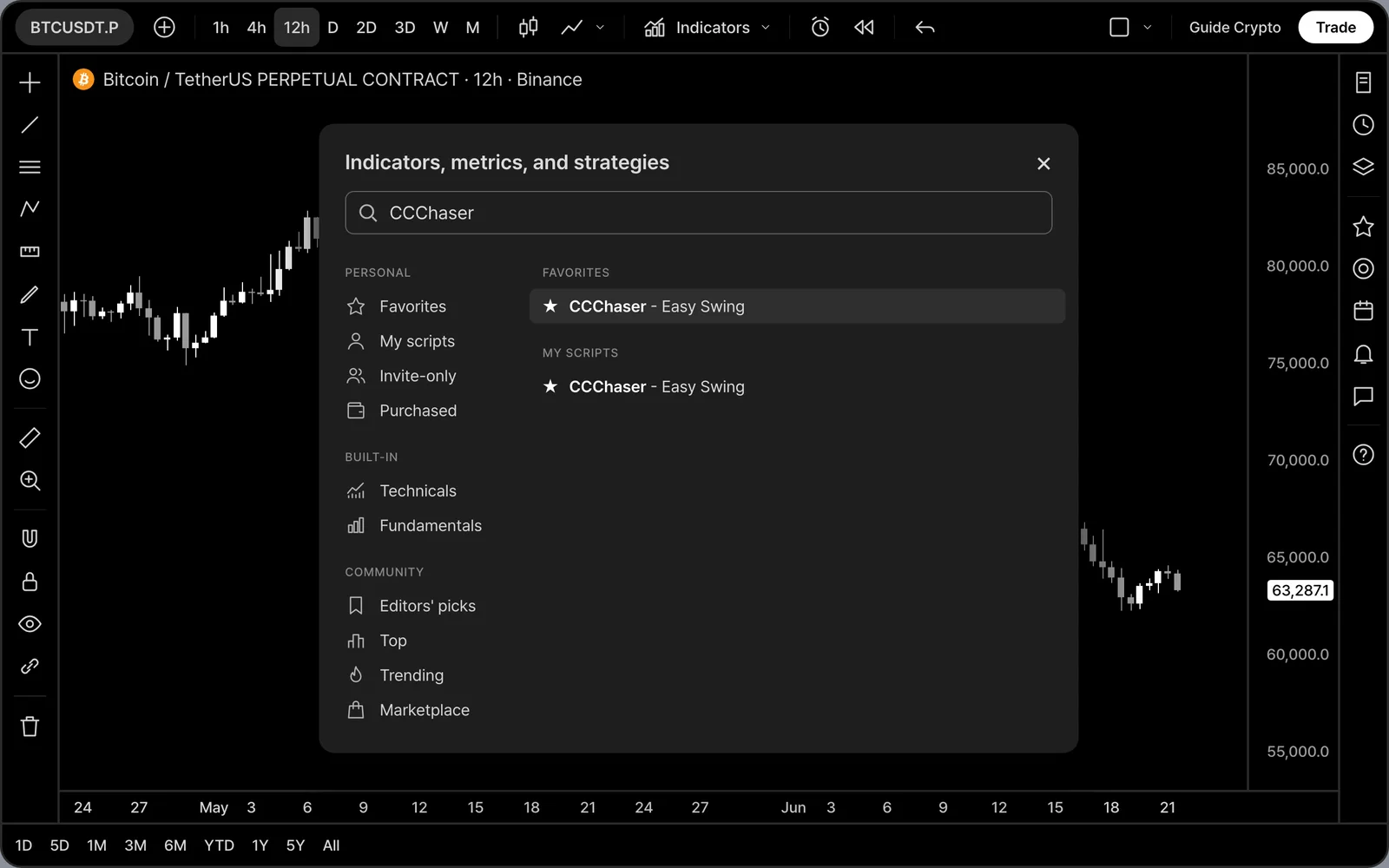
After purchase, open TradingView and click Indicators. Find CCChaser - Easy Swing under Invite-only scripts (or your Favorites) and click it once.
Step 2. Read the signals
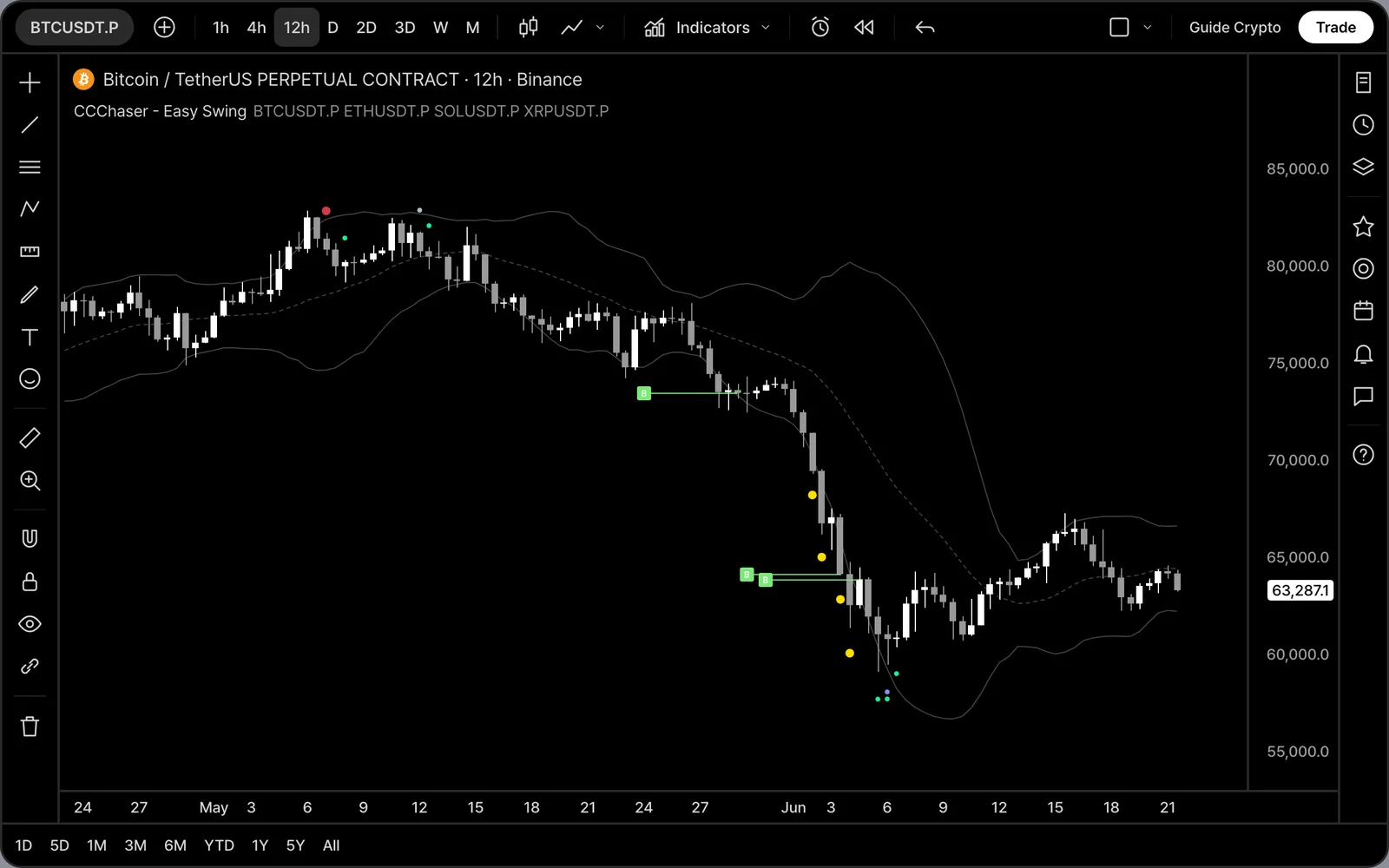
Yellow dots are Sold Out, red dots above the candle are Pulse Peak, and green lines with B are Momentum Buy. Small colored dots in other colors are signals from your other coins.
Step 3. Five markets on one chart
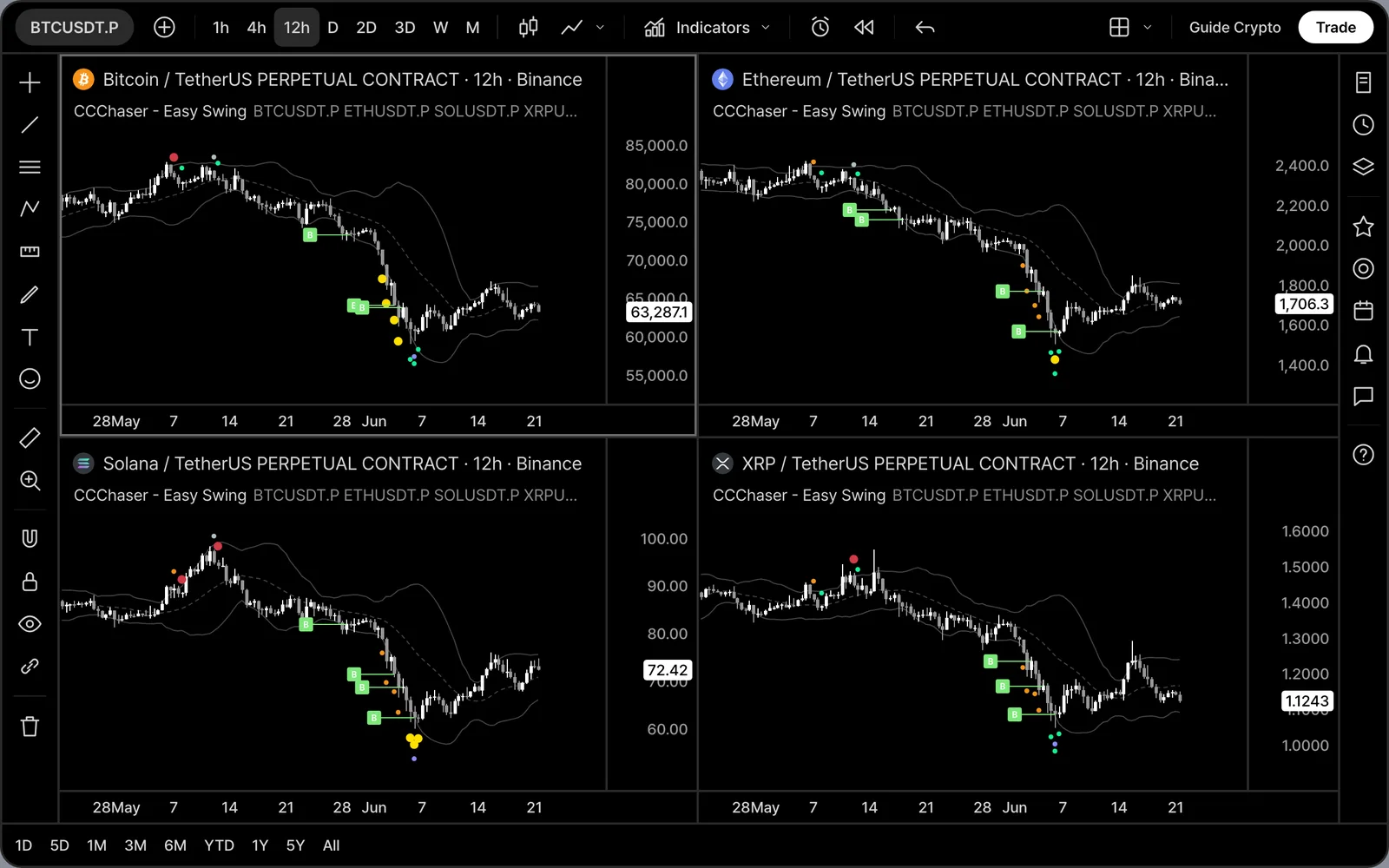
By default Easy Swing also watches BTC, ETH, SOL and XRP. When one of them hits Sold Out or Pulse Peak, a dot in that coin's color appears on the chart you are looking at. The coin you are already on is skipped automatically.
Step 4. Pick your four coins
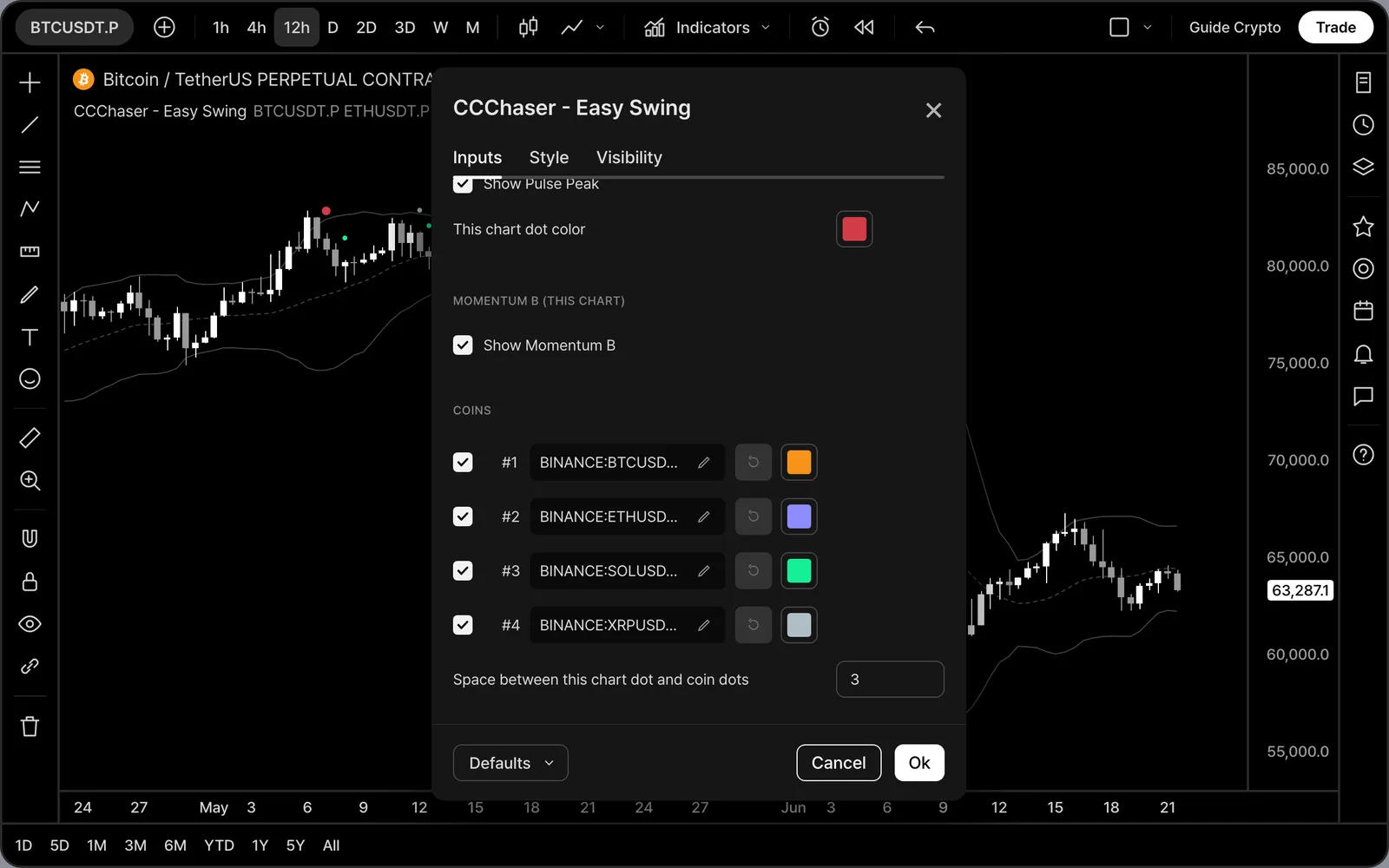
Open the settings and change slots #1 to #4 to any symbol: coins, stocks or ETFs. After you change a symbol, delete your old alert and create it again.
Step 5. One alert for everything
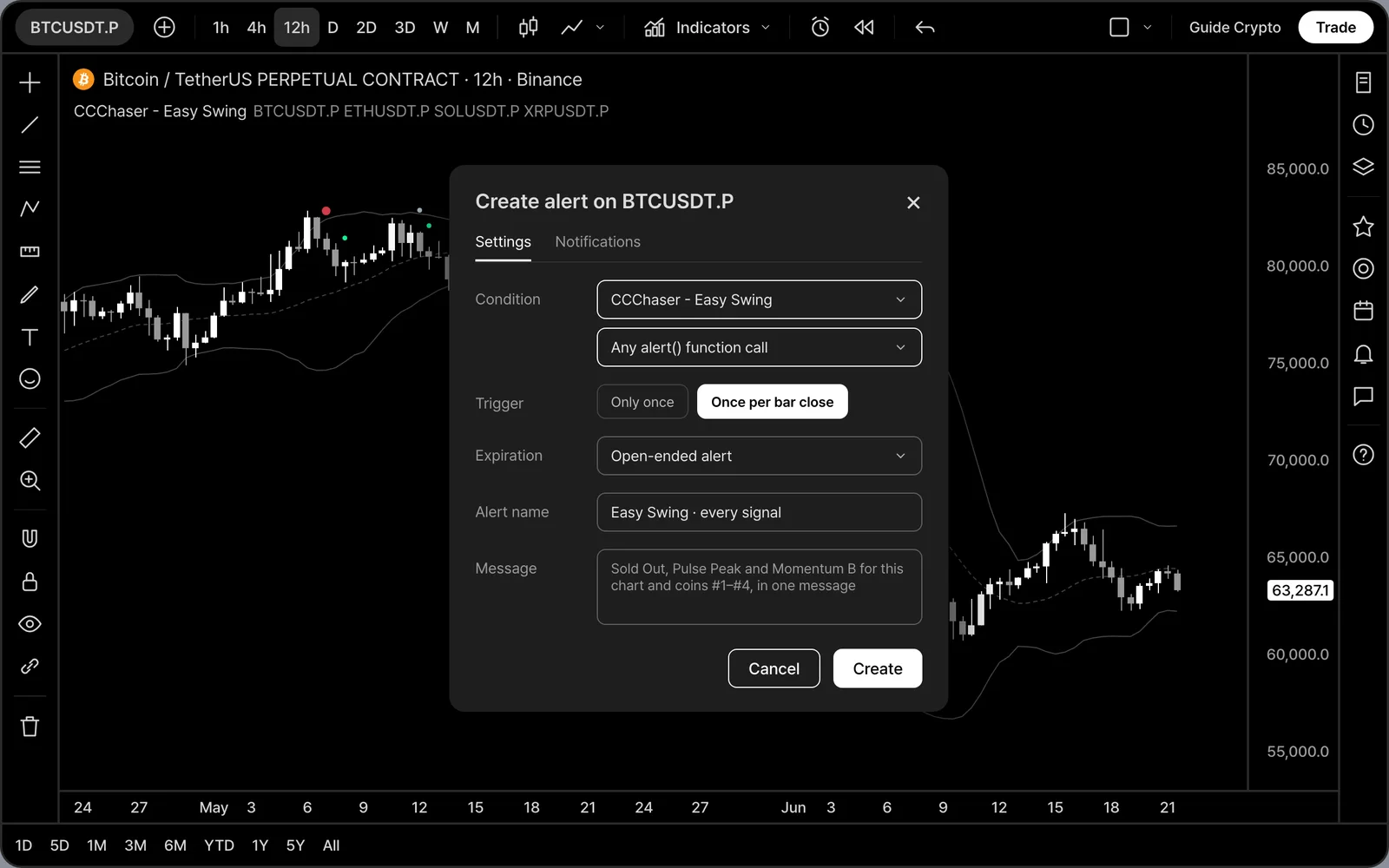
Click the alert button and choose CCChaser - Easy Swing as the condition. Then choose "Any alert() function call" and "Once per bar close". That is all.
Step 6. Get every signal in one message
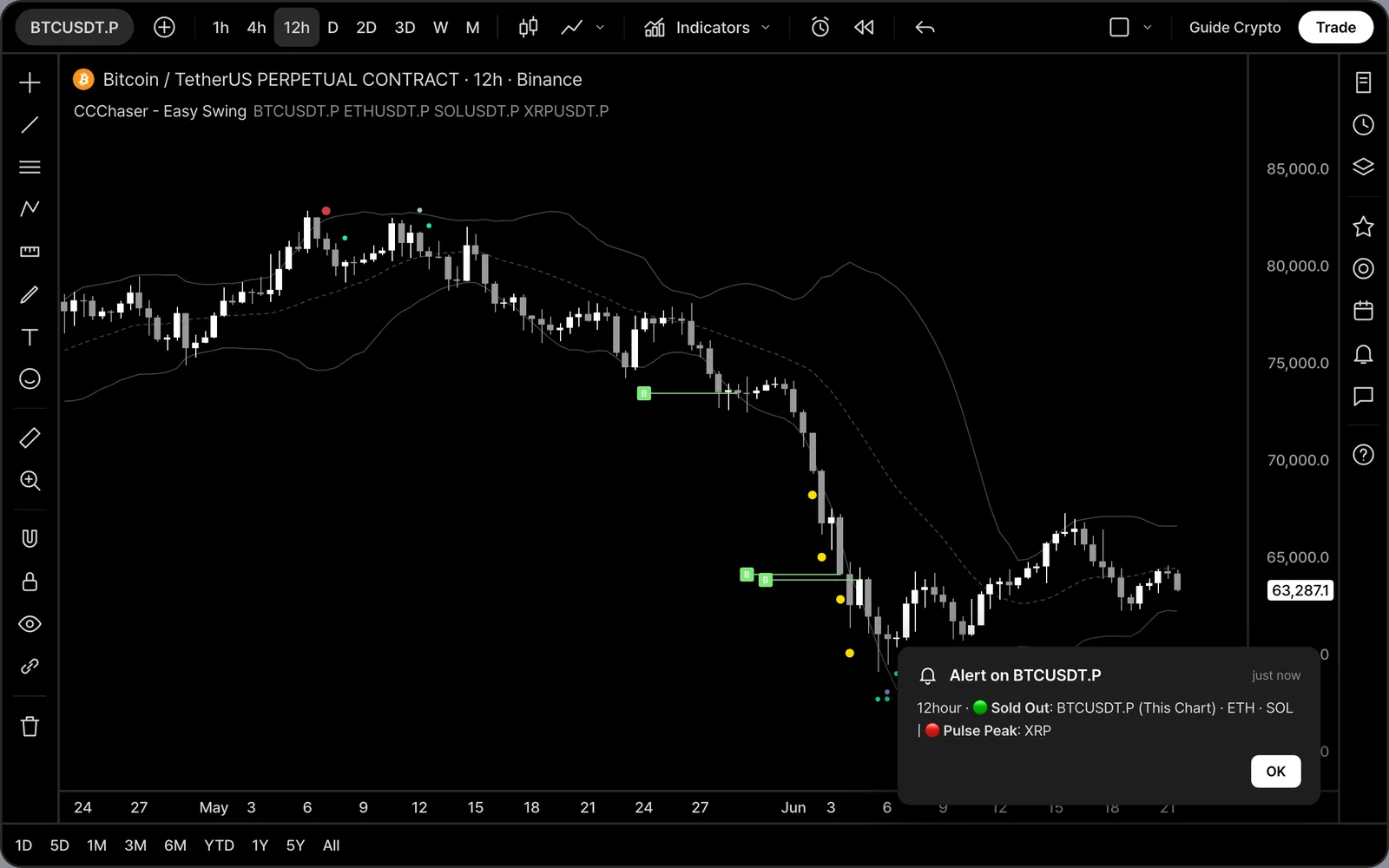
When a candle closes, everything that fired arrives together, for example: "12hour · 🟢 Sold Out: BTCUSDT.P (This Chart) · ETH · SOL | 🔴 Pulse Peak: XRP".
Get Easy Swing on your own TradingView charts after purchase.
See pricing →